
THE SHORT ANSWER
Start with our Chuttamalle template or your own video. Choose 3–10 seconds, add a clear photo you have permission to use, and select face or person swap. Each selected second uses one credit. Photos and newly uploaded clips are screened before generation.
Choose the moment before the edit.
A clear face. A continuous shot. A movement with a beginning and an end.
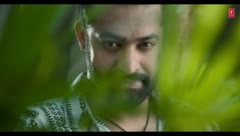
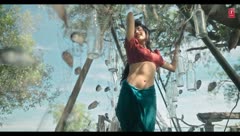
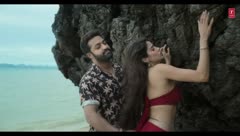
Choose a source and a useful moment
Open the generator and use the Chuttamalle template, or choose Upload your video. Custom sources can be MP4/MOV files up to 100 MB. Select an integer duration from 3 to 10 seconds, then drag the timeline to set the starting point.
A continuous shot with a visible face, limited occlusion and a complete movement is usually easier to work with than rapid cuts. Use the preview to check the selected segment before generating. The preview itself does not submit a model job.
Face swap or person swap?
Face swap focuses on your face while aiming to retain the source outfit, movement and scene. Person swap uses the reference to guide more of the person’s appearance. Neither mode guarantees perfect likeness or unchanged motion.
For the template, upload a male reference, a female reference, or both; an empty slot keeps the original performer. For a custom source, provide one reference for the main person. Avoid busy multi-person footage when using a custom source.
Upload a clear photo and confirm permission
Use JPG, PNG or WebP up to 10 MB per photo. Choose a clear face and use your own image or a photo you have permission to use. Selecting a photo provides a local preview; uploads for screening happen when you confirm generation.
Understand the screening and the cost
Reference photos are screened before generation. Newly uploaded source clips also require a completed safety review. Fixed 10-second template clips do not undergo another source-video review per edit; shorter template selections go through the clip-upload review flow. Flagged or unresolved uploads cannot proceed. Generated outputs are not automatically screened, so screening is not a guarantee that every result is safe.
A 3-second edit uses 3 credits; a 10-second edit uses 10. Failed edits return their credits. Compare credit packs, monthly and annual memberships before confirming a paid generation. Pornography, sexual deepfakes and NSFW creations are prohibited.
Review before sharing
Check the likeness, transitions, unwanted changes and audio in your finished result. Clearly identify it as AI-edited, respect the people depicted, and confirm permissions for the footage and music. If you wanted the original song rather than an edit, see the song guide.
Questions, answered.
Can I choose a duration other than 10 seconds?
Yes. Current edits support integer durations from 3 to 10 seconds. One selected second uses one credit.
Can I upload my own video?
Yes. Upload an MP4/MOV up to 100 MB, select a 3–10 second clip, and use one reference photo for the main person. The selected custom clip must pass safety screening.
Does previewing use video-generation credits?
No. Previewing the source selection does not submit a generation. Credits are used when you confirm and submit an edit.
Are generated videos automatically NSFW-reviewed?
No. Reference photos and newly uploaded source clips are screened before generation; outputs are not automatically screened.
Product details describe the current Chuttamalle AI studio and credit plans. Chuttamalle AI is independent of the film, its performers and music publisher.